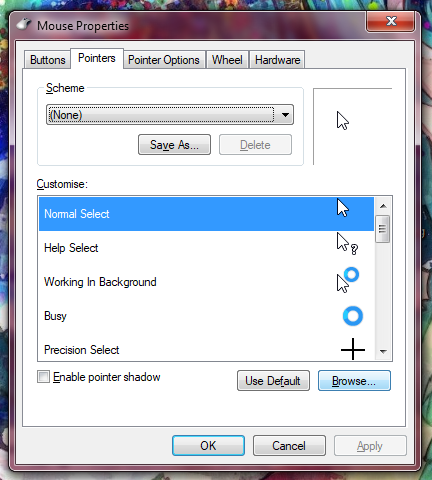
hoihoihoihoihoihoihallooooo
hoihoihoihoihoihoihallooooo
;;; mars mouse cursor tutorial ;;;
[only tested on windows 10, if you have linux you probably already know set custo mouse]


download the .cur images from here --->
go to settings and type this in;;; go to the page it brings up
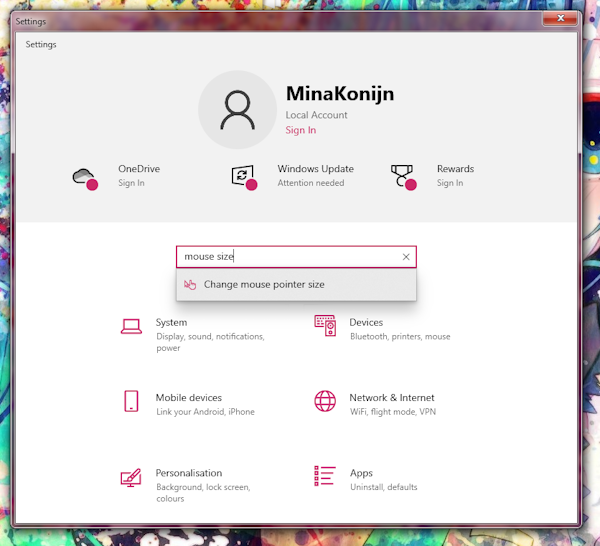
when youre at the page set the 'change pointer size' slider to 3
[this step is necessary because windows forces your mouse
to be 32px, setting it to 3 makes it 64px AKA
the same resolution as what the marina cursors use]
[[this may be different for smaller res screens]]
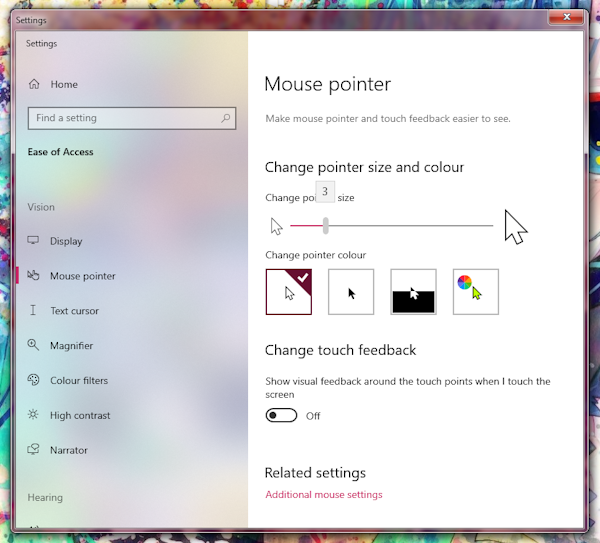
now your mouse is big :3
open your start menu and look for 'change how the mouse pointer looks'
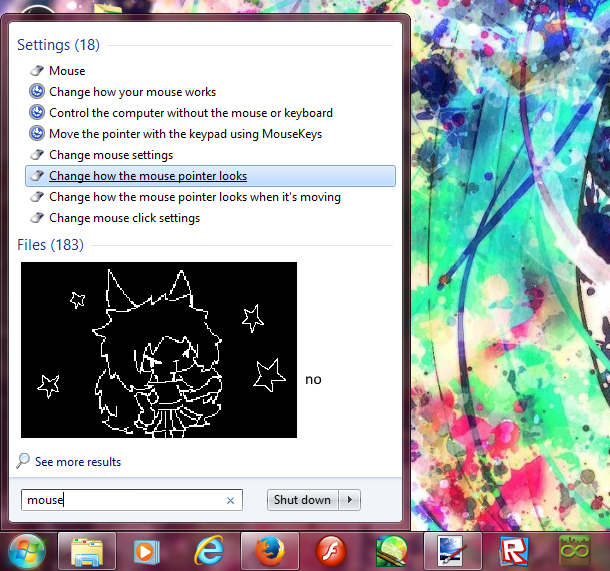
click 'normal select', then browse button, go to downloads and select 'MarinaDefault.cur'
THEN!!!
scroll down & click 'link select', then browse, go to downloads and select 'MarinaLink.cur'
T H E N ! ! !
click on 'apply' and close the window